Open Source · MIT License

Your AI Research Copilot

Literature search, data analysis, academic writing, and a cross-project paper memory — all powered by AI, all in one desktop app. Bring your ChatGPT Pro or Claude Max subscription, or an API key. Built for scientists and academics.

Signed & notarized for macOS · Auto-updates from 0.4.3
Research Copilot demo — click to play
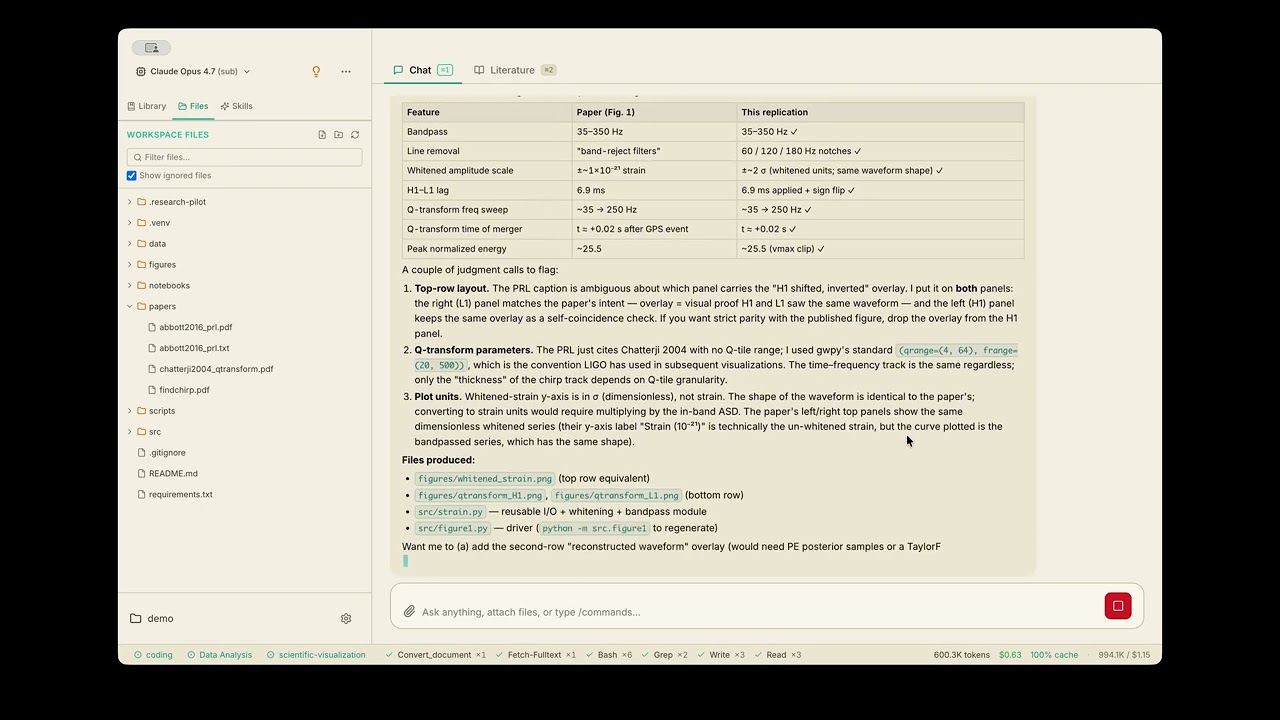
GW150914 replication — live demo
Full unedited workflow · plays on YouTube

Unedited recording of the agent reproducing the GW150914 gravitational-wave detection from raw LIGO data. Read the generated paper below ↓, alongside a clinical-trial manuscript in a different domain. Want just the punchline? Skip to the final result →

Embedded artifacts · Read in-browser

Read the papers it wrote

Two papers, both generated end-to-end from a single prompt — and both in fields the maintainer doesn't work in. The PDFs below are the actual artifacts emitted by Research Copilot, unedited, scrolled inline.

Astrophysics Reproduction

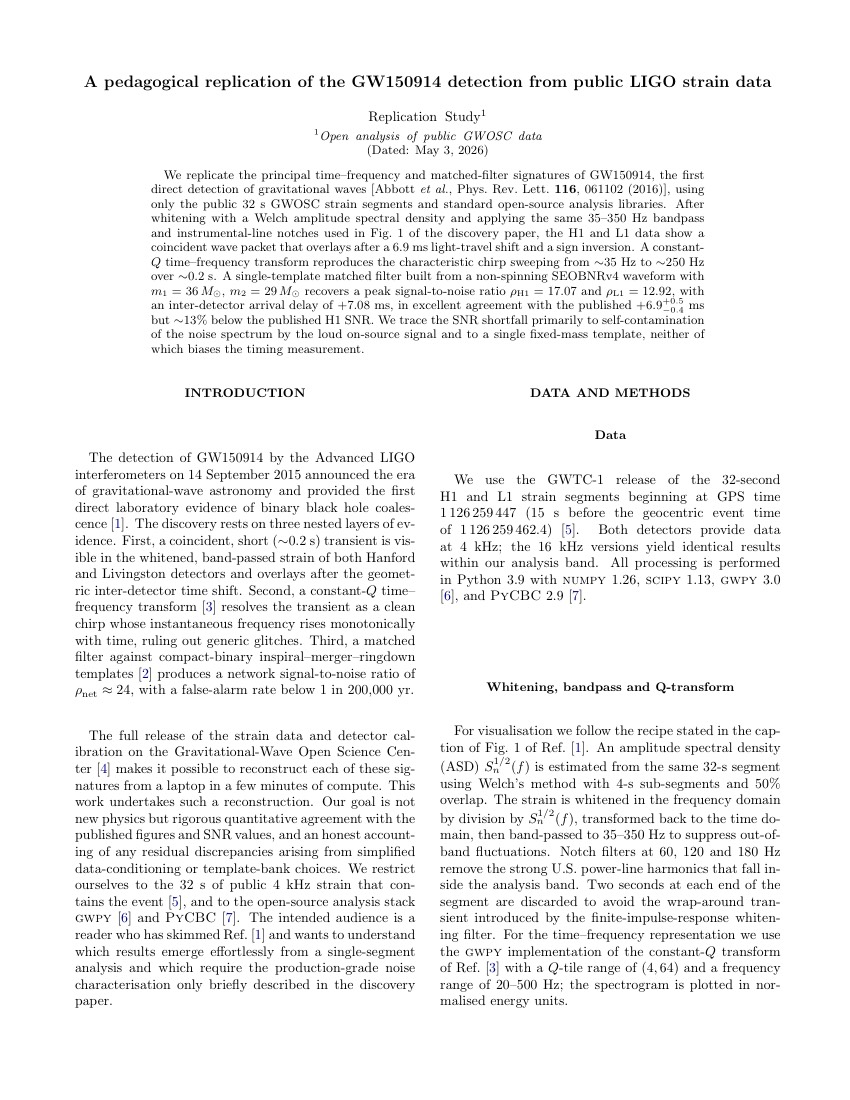
Reproducing GW150914 — the first binary black hole merger detection

From raw LIGO open strain data to a 4-page short paper: whitening, Q-transform chirp, matched-filter SNR ≈ 24. Re-derives core results of Abbott et al. 2016 (PRL 116, 061102).
Open
First page of the generated GW150914 reproduction paper, NeurIPS template
Open full paper (4 pages)
4 pages · NeurIPS template · 1.1 MB Fully automated
Clinical trial Secondary analysis

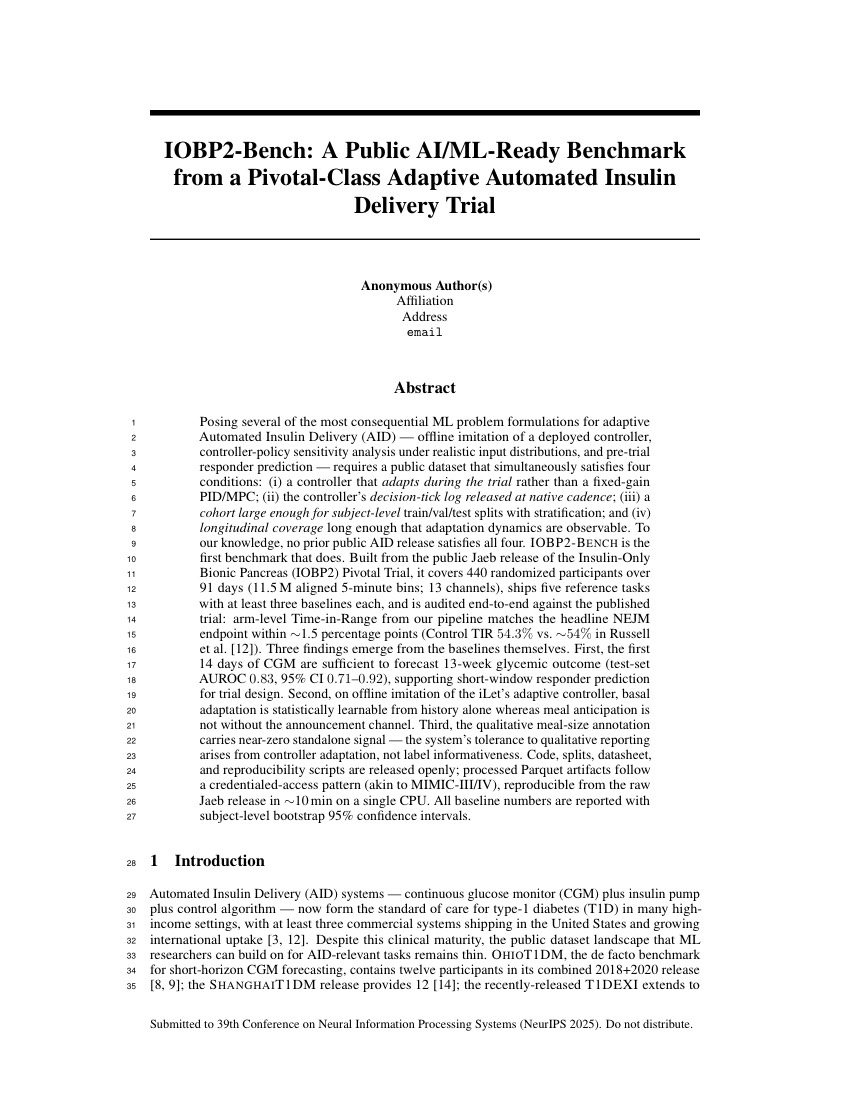
Secondary analysis of the IOBP2 type-1 diabetes RCT

A 14-page manuscript drafted from the public IOBP2 RCT dataset (Insulin-Only Bionic Pancreas Pivotal Trial). Statistical analysis, figures, prose, and references — all assembled by the agent.

Open
First page of the generated IOBP2 secondary-analysis paper, NeurIPS template
Open full paper (14 pages)
14 pages · NeurIPS template · 1.6 MB Fully automated

Both PDFs come straight from the run's artifact directory — no manual editing, no figure tweaks, no hand-written prose. Use them as a reality check before downloading the app.

Not another general AI assistant

Tools like Claude Cowork are great at general knowledge work — file management, document drafting, data extraction. Research Copilot goes deeper. It's built for the academic research lifecycle.

Claude Cowork

  • Web search — not academic-focused
  • Can process files you already have
  • Generic document drafting
  • No citation verification
  • No domain-specific skills
  • Closed source
RC

Research Copilot

  • Multi-source academic search (Semantic Scholar, arXiv, OpenAlex, DBLP)
  • Paper library with DOI, bibtex, citation counts, relevance scoring
  • Venue-specific academic writing (NeurIPS, ICML, IMRAD, LaTeX)
  • Citations verified via literature search — never hallucinated
  • 14 pluggable research skills — grant writing (NSF/NIH/DOE), paper revision, slides, data analysis, visualization
  • Background Paper Wiki — cross-project, concept-organized memory of every paper you've touched
  • Sign in with ChatGPT Pro or Claude Max — no API key required
  • Open source (MIT) — fully customizable

Think of it this way: Claude Cowork is a smart office assistant. Research Copilot is a lab partner who knows how to search literature, run stats, write papers, and apply for grants.

Everything you need for research

One app that handles the entire research workflow — from literature discovery to paper writing.

New

Cross-Project Paper Wiki

A background agent that turns every paper you touch into a local, concept-organized knowledge base shared across all your projects. Recall and cite earlier work without re-feeding context.

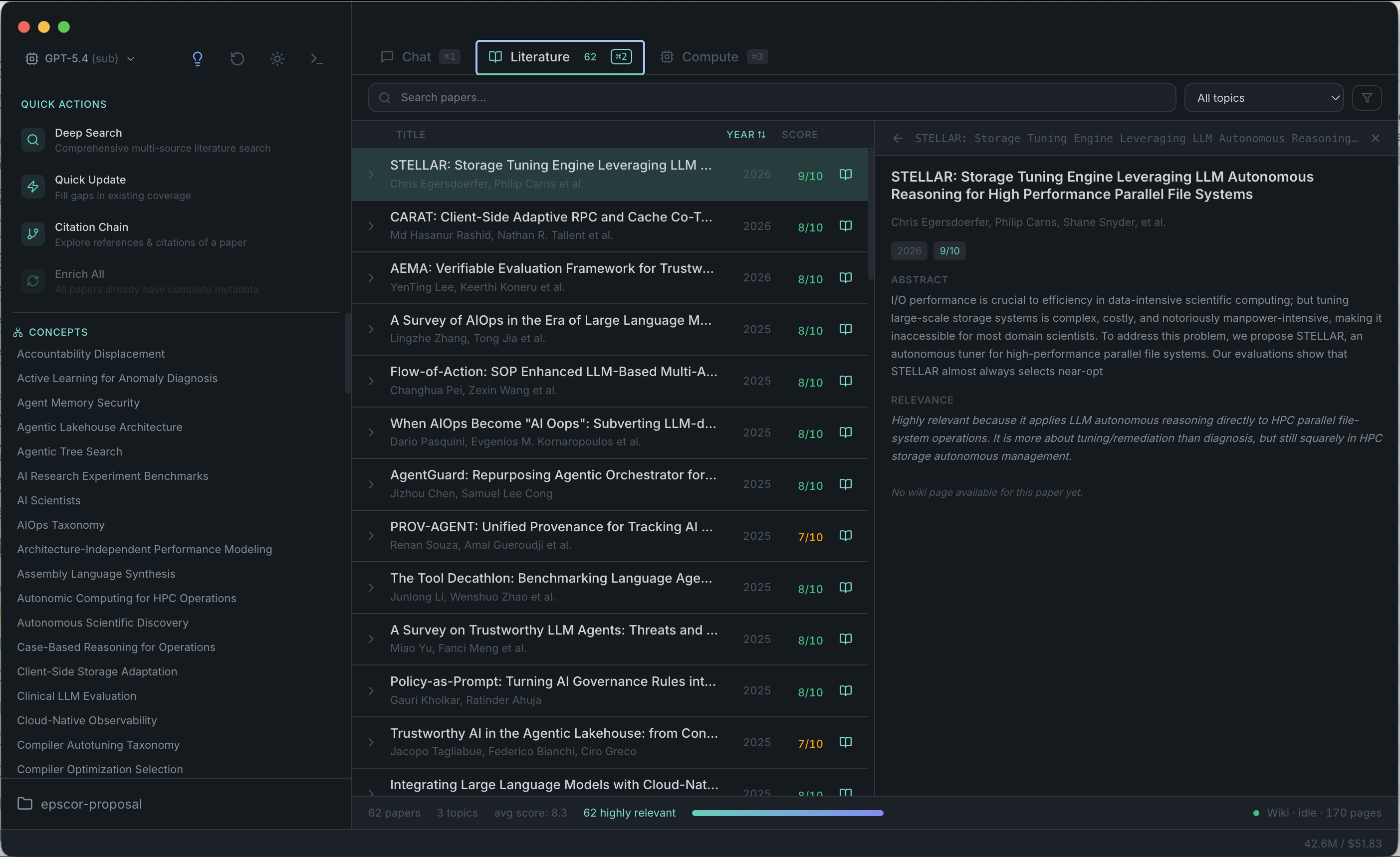
Multi-Source Literature Search

Search Semantic Scholar, arXiv, OpenAlex, and DBLP simultaneously. Papers are scored, deduplicated, and organized automatically.

Python Data Analysis

AI generates and runs Python scripts with matplotlib and seaborn. Get publication-quality figures and statistical analysis through natural language.

Academic Writing

Write LaTeX manuscripts, grant proposals, and conference papers with AI that understands academic conventions and citation styles.

New

Sign in with a Subscription

Bring your ChatGPT Pro or Claude Max subscription via OAuth — no API key, no metered bill. Auto-prefers sub over API when both are configured.

Coding Tools Built In

Read, write, and edit files. Run bash commands. Full coding agent capabilities powered by pi-mono — no terminal switching needed.

Document Conversion

Convert PDF, DOCX, PPTX, and XLSX to Markdown. Attach files directly in chat — images, CSVs, PDFs all handled natively.

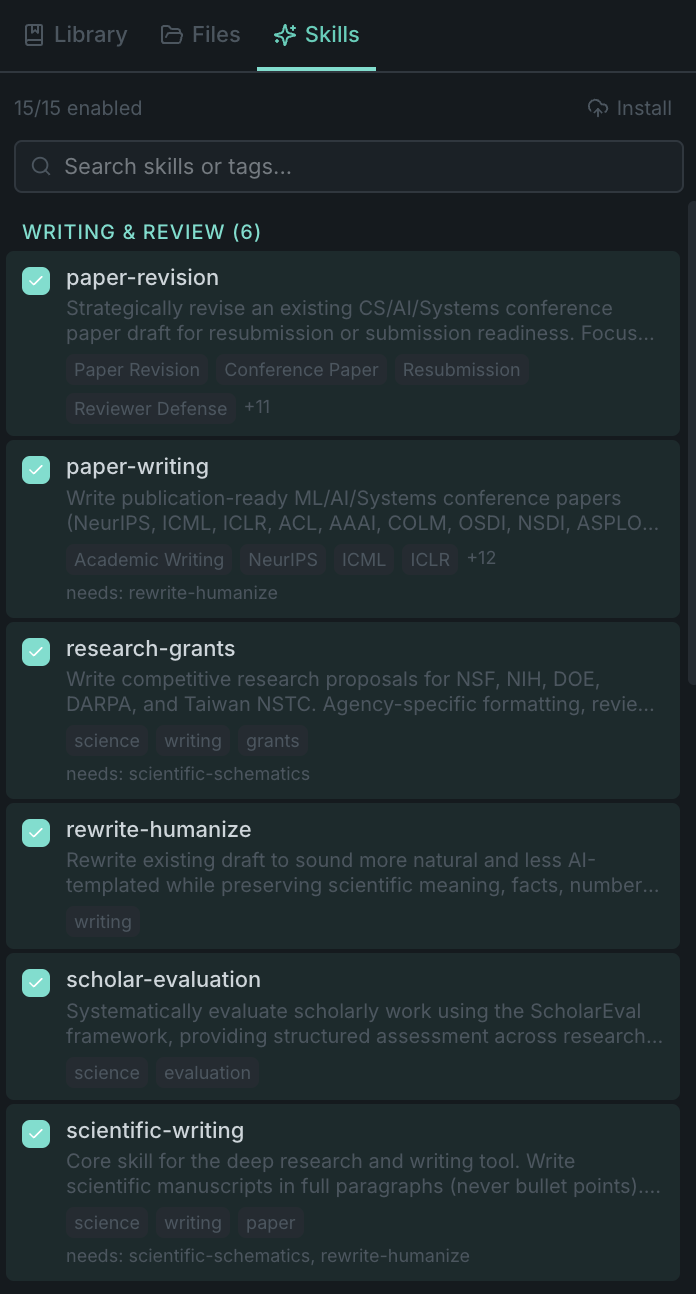
Extensible Skills

13 builtin skills for writing, visualization, and analysis. Add your own project-specific skills as simple Markdown files.

14 builtin skills,
infinite possibilities

Skills are lazy-loaded knowledge modules that give the AI domain expertise. They're just Markdown files — easy to read, easy to customize, easy to share.

Paper Writing
Paper Revision
Research Grants
Scientific Writing
Rewrite & Humanize
Scholar Evaluation
Matplotlib
Seaborn
Scientific Schematics
Scientific Visualization
Marp Slides
Brainstorming
Creative Thinking
Coding
Skills panel showing builtin research skills

Powerful literature management

Search across multiple academic databases. Papers are automatically scored for relevance, deduplicated, and organized in a searchable table.

Literature search interface with multi-source results
~/.research-pilot/paper-wiki
> wiki_search "lossy compression ratio prediction"
→ 23 matches across 4 projects
concepts/lossy-compression-ratio.md
Back-references (23):
• arxiv-2304-12568 — DeepCQ surrogate ...
• arxiv-2111-09815 — Endpoint-aware rate distortion
• arxiv-1909-13639 — I/O-aware compression tuning
• title-black-box-prediction-2023 (abstract)
• ... 19 more
Background agent idle · 14 new papers indexed this week
New · RFC-005

Cross-project paper memory

A background agent turns every paper you touch into a local, concept-organized knowledge base shared across all your projects. When you start a new project, the AI already remembers what you read last month — no re-feeding context.

  • Each paper gets a summary page; recurring concepts get their own pages with back-references to every paper that mentions them.
  • Search your entire reading history from any project via wiki_search, wiki_get, wiki_coverage.
  • Identity drift across DOI / arXiv / title lookups is reconciled automatically — papers are never reprocessed by mistake.
  • Disabled by default — opt in from Settings, pick Auto to follow the subscription-first model priority and keep costs predictable.

Get started in minutes

Three steps to your AI-powered research workflow.

1

Download & install

Latest: v0.4.3 →

Pick your platform — installers come straight from GitHub Releases.

macOS Signed & notarized

Double-click the .dmg, drag to Applications, launch — no Gatekeeper warning.

Windows
Windows installer
.exe · 64-bit NSIS 140 MB

Unsigned — SmartScreen warns "Unrecognized app", click More info → Run anyway. Code signing on the roadmap.

Linux

AppImage needs libfuse2 on Ubuntu 22.04+. Or install via shell: curl -fsSL https://raw.githubusercontent.com/DIR-LAB/Research-Pilot/main/install.sh | bash

Updates are automatic

Starting with v0.4.3, the app checks for new versions in the background and shows a small Update ready · Restart button in the status bar when one is downloaded. No need to re-download from this page — just click and the app relaunches into the new version. Pre-0.4.3 users: please download once to migrate to the auto-updating build.

2

Sign in — or paste an API key

Open the model selector and sign in with ChatGPT Pro or Claude Max via OAuth. No API key needed, no metered bill. Or paste a key into the unified settings panel (Cmd+.):

ChatGPT Pro / Plus # GPT-5.4 via OAuth (preferred)
Claude Pro / Max # Claude Opus / Sonnet / Haiku via OAuth
OPENAI_API_KEY # or paste an OpenAI API key
ANTHROPIC_API_KEY # or paste an Anthropic API key
BRAVE_API_KEY # web search (recommended)
OPENROUTER_API_KEY # AI diagrams (optional)

Priority when multiple are configured: ChatGPT sub → Claude sub → OpenAI API → Anthropic API.

3

Open a project folder

Pick any folder as your workspace. Research Copilot stores notes, papers, and data in a .research-pilot directory inside it.